
Free Photoshop Brushes
I've recently discovered brushes (not knowing they could be in shapes!) so, here's a page with lots of free brushes. Enjoy
Friday, February 13
Wednesday, January 28
Tuesday, January 20
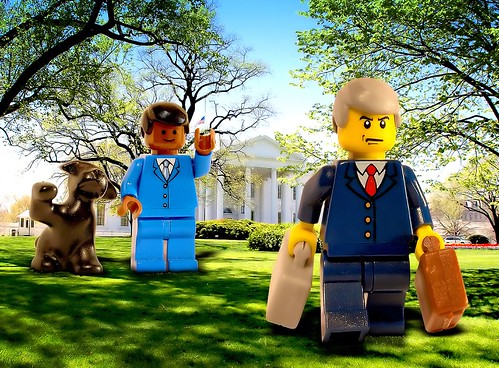
Tuesday, December 9
Grunge and dirty Photoshop tutorials, brushes and textures
Grunge and dirty Photoshop tutorials, brushes and textures
Some great tutorials as well as textures to download. I hope they put more on this site
Some great tutorials as well as textures to download. I hope they put more on this site
Saturday, October 18
Wednesday, September 17
Canon 5d Mark II.. finally.
 It's finally here. Check out the specs at the Canon Europe site.
Not so sure how important the HD movie part is. If it doesn't allow you the ability to focus or view it live (ie in the back of the camera), this may amount to nothing more than a "buy me!" gimmick.
Still....me want.. me want badly.
Monday, September 15
Zeiss glass for Canon?? Yep.
 According to the Carl Zeiss website the company will be producing its legendary lenses with Canon EF mounts! Great news for those of you looking for more (better?) glass options.
Friday, September 12
Strobist.com, he's your lighting daddy.
 I find that in the last couple of years, since Vivi bought me my first Canon Speedlight flash, that my photography has improved greatly. And a big portion of the credit goes to David Hobby (in the photo) of www.strobist.com
For those that don't know, Strobist.com is, in his own words, "This website is about one thing: Learning how to use off-camera flash with your dSLR to take your photos to the next level. Or the next ten levels."
David is a (former) photojournalist who specializes in lighting with portable hotshoe flashes... with amazing results.
I used to be one of those "oh, I only shoot with natural light" snobs.. and that mostly had to do with the fact that I didn't know how to use flash properly..
Now I'm learning a lot and find my photos have improved very much (though I've not been doing much shooting lately!).
Yes, it takes a little time (and $$) to start your journey to better photos through good lighting.. but trust me, it's worth it. Your handicapping yourself if you don't learn how to light off camera with hotshoe flashes (or just one!).
You can start seeing how doable it is by reading his "Lighting 101" now conveniently in pdf format.
Click this link! Strobist Lighting 101 pdf
Also, check out the Strobist flickr.com account at http://www.flickr.com/groups/strobist/
Cross processing... do it!
 As you may know, I'm a huge fan of Cross processing (aka Xpro). It's a great way to get a different look to your photos and I find it works in almost any situation (though I've not tried it on a landscape...hmmmm.)
Cross Processing is originally a film technique where one type of film (let's say normal negative) is process in the chemicals meant for another type of film (for example slide)... the results were 'weird' colors and increased levels of contrast...
See:
Though Lightroom has some nice Xpro presets.. I find that none of them work as well for me as doing it manually in Photoshop.. so here are a couple of ways to achieve a nice Xpro look. They are also a good way how to learn to use curves and layers...!!
Again, from www.layersmagazine.com, check out Mark Fleming's technique.
And from www.photoshopsupport.com, this method is the first I learned, and still my favorite as it gives a bit more of a green tint which I personally like. And the changes seem a bit more subtle and richer
Give it a go, trust me, it's not that difficult and you'll really enjoy it!
Monday, September 8
Ball point pen photographed through a...

Pringles can... really.
Wow.. looks very promising. Might have to do it this weekend. Check out the link below:
Extreme Macro Photography on a budget by Photocritic
Lightroom Killer Tips...

Great site for all things Lightroom... lots of tips and Videos.
Check it out.
ttp://www.lightroomkillertips.com/
Great video tutorial on how to "pop" a dull image

Found at layersmagazine.com, this tutorial, by Mike Rodriquez, is a great tutorial on how do do some editing on your photos to increase the pop, better the colors and contrast and all done in a way that is well explained allowing even the most basic of PS user to use.
Lots more tutorials to be found on this site, so dig a bit deeper!
Check it out!
http://www.layersmagazine.com/pop-the-image-in-photoshop-cs3.html
Subscribe to:
Posts (Atom)

 Posts
Posts

